

流云音乐Liuyun Music
Native third-party HarmonyOS app
Listen to Leelaa Reader on HarmonyOS
Bring audiobooks together with local media, cloud drives, WebDAV, and private music servers.
Leelaa Reader integratedHarmonyOS 5+
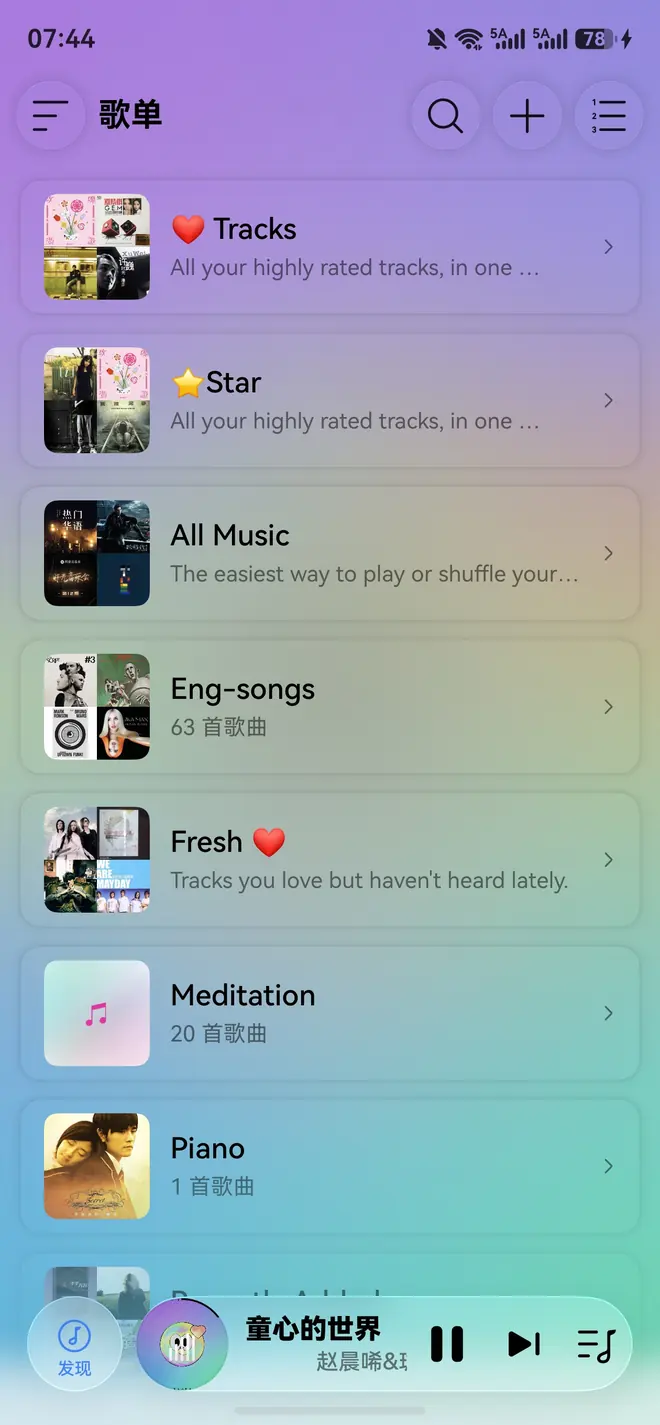
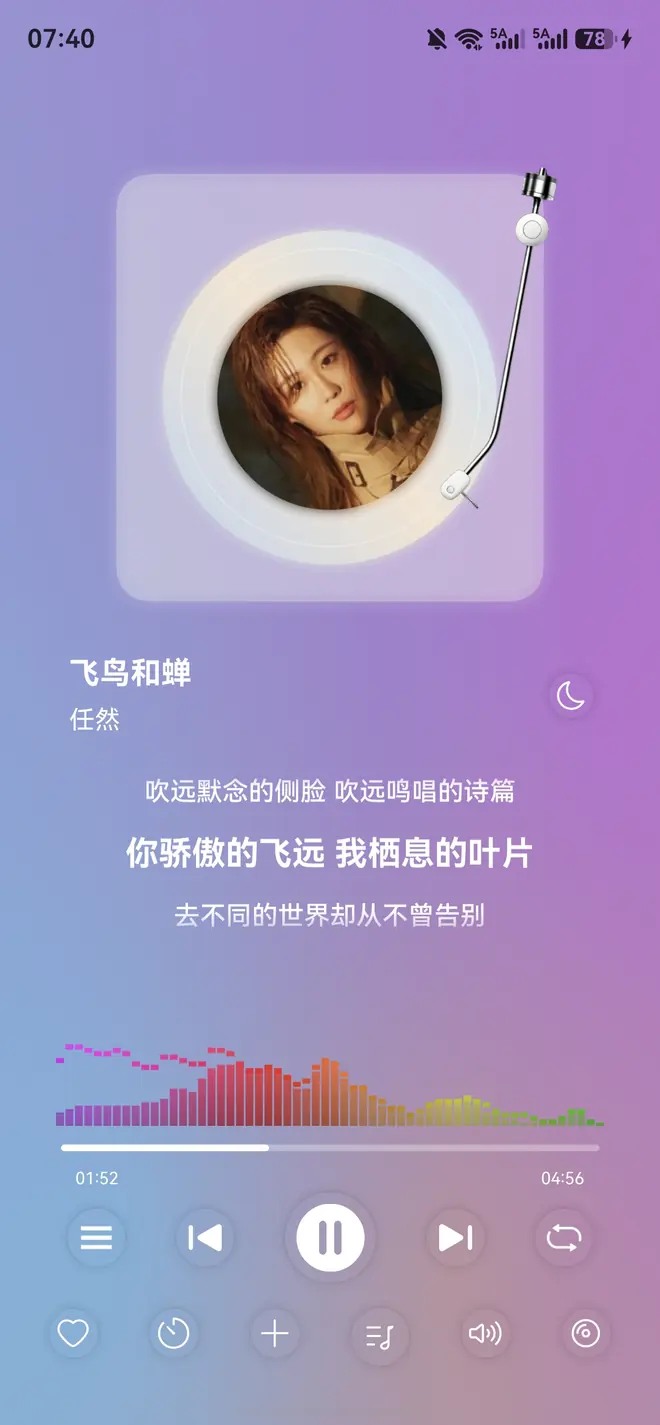
 Official product preview from xgplayer.com, retrieved August 2, 2026.
Connect Liuyun Music to Leelaa Reader
Add Leelaa Reader to Liuyun Music to browse and play the audiobooks in your server library.
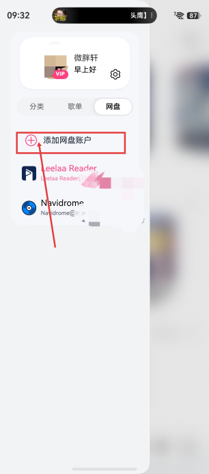
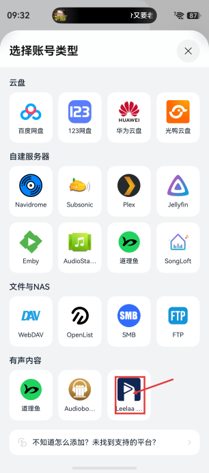
Add a Leelaa Reader account
- Open Liuyun Music;
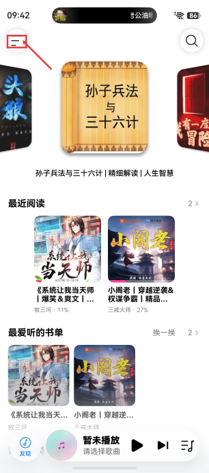
- Open the settings entry in the upper-left corner;
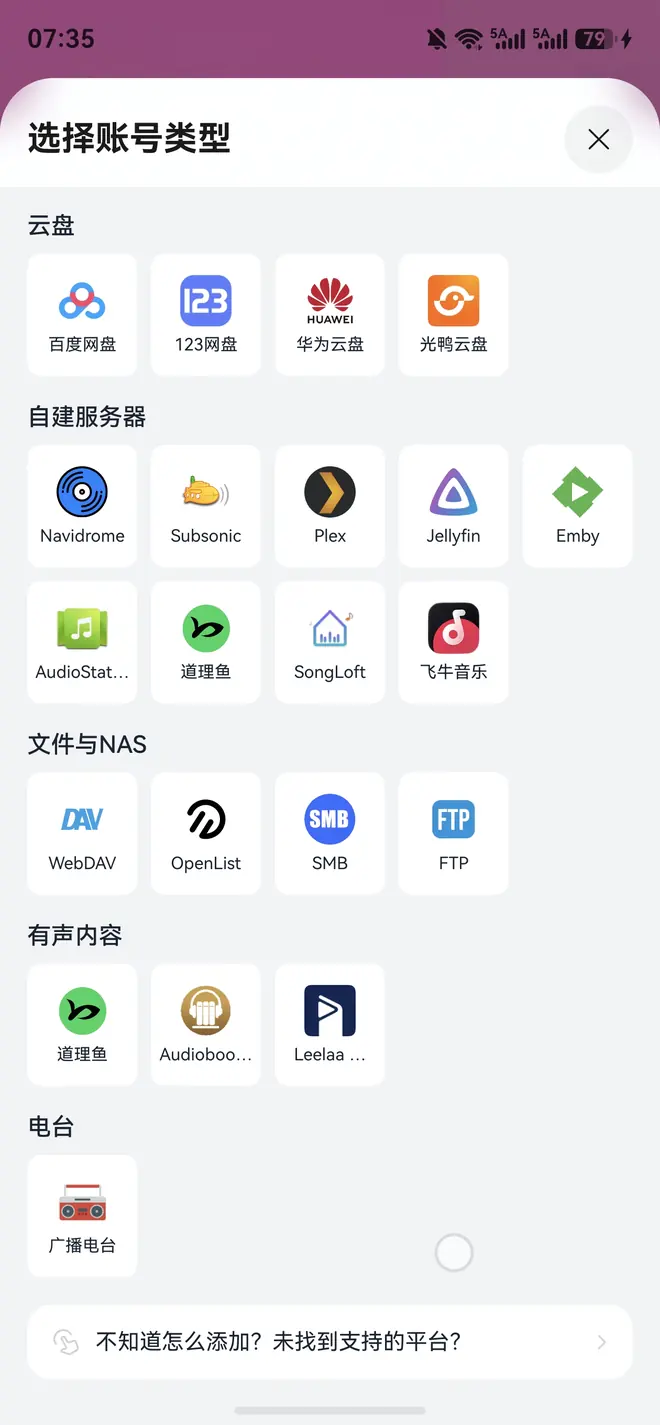
- Switch to the cloud-drive section and select Add cloud account;
- Under audiobook services, choose Leelaa Reader.
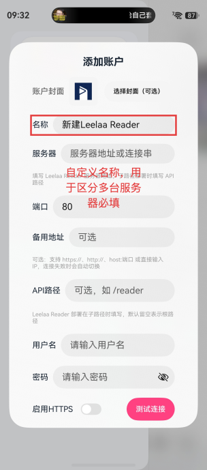
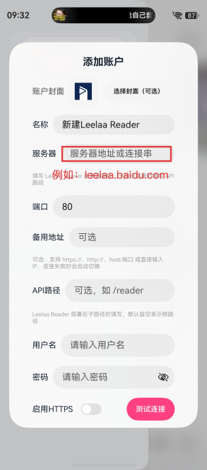
Enter server information
- Name: choose any recognizable name;
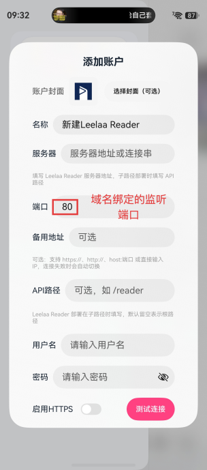
- Server: enter the Leelaa Reader domain or IP address;
- Port: enter the actual listening port;
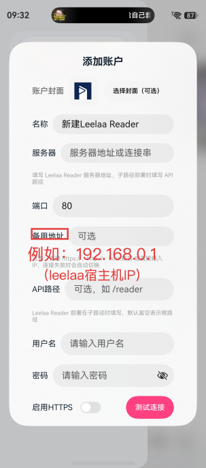
- Backup address: optional LAN IP address and port;
- API path: leave empty.
Enter credentials and test
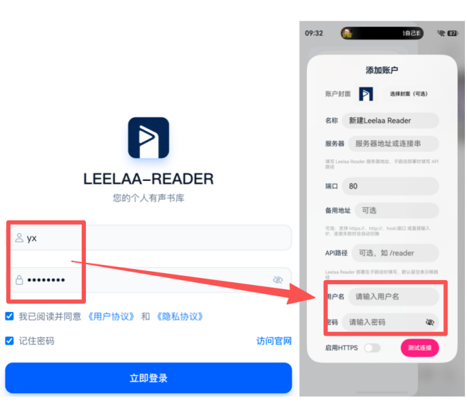
- Enter the Leelaa Reader server username and password;
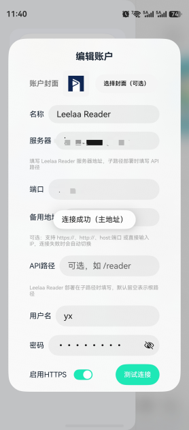
- Enable HTTPS only when the server actually uses HTTPS;
- Tap the connection test button;
- Save the account after the test succeeds.
Connection troubleshooting
- Do not include an extra API path in the server field;
- Verify the port;
- Enable HTTPS only for an HTTPS endpoint;
- Try the LAN backup address when the public domain is unavailable;
- Open the same address in a browser;
- Verify the credentials in the Leelaa Reader web client.